Your servers. Your keys. Nobody else’s.

A serverless SSH, SFTP, Mosh, Telnet and serial client for every device. An end-to-end encrypted vault, no account, no telemetry — and sync only through storage you own.

Windows, macOS, Linux, iOS and Android. Open source under GPL-3.0.

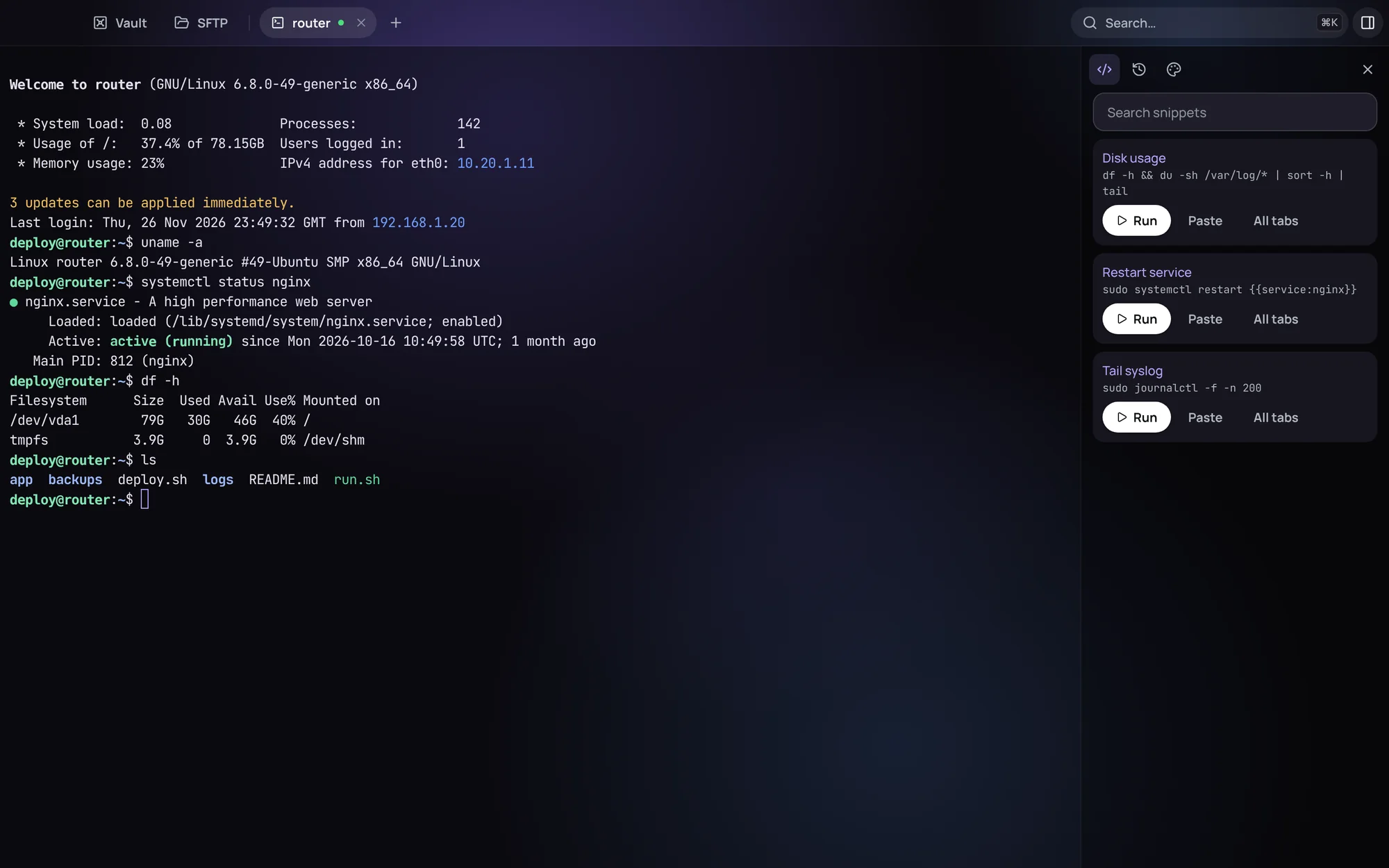
Vaultport with a terminal session in the see-through Pulse theme and the snippets side panel open
  • SSH
  • SFTP
  • Mosh
  • Telnet
  • Serial
  • Local shells
  • Jump hosts
  • SOCKS5 & HTTP proxies
  • Port forwarding
  • Agent forwarding
  • OpenSSH certificates
  • Post-quantum key exchange
  • FIDO2 security keys
  • Secure Enclave
  • Windows Hello
  • Android Keystore
  • Split workspaces
  • Snippets
  • Session logs
  • Local AI
  • MCP for AI agents

Take the tour

Built like a native app. Because it is one.

A Rust core does everything that touches a secret; a fast, keyboard-first interface does the rest. Here is the real thing.

Terminal

A terminal that floats on light.

The default Pulse theme is see-through: your session sits on a slow, living glow, and so does the side panel with your snippets, history, themes and local AI.

  • Tabs and splits with ⌘/Ctrl+T, D and W, every shortcut rebindable
  • Autocomplete from what is installed, with inline suggestions
  • Command blocks, syntax highlighting and Ctrl+R history search
The terminal →
A terminal session in the see-through Pulse theme with the snippets side panel open

Vault

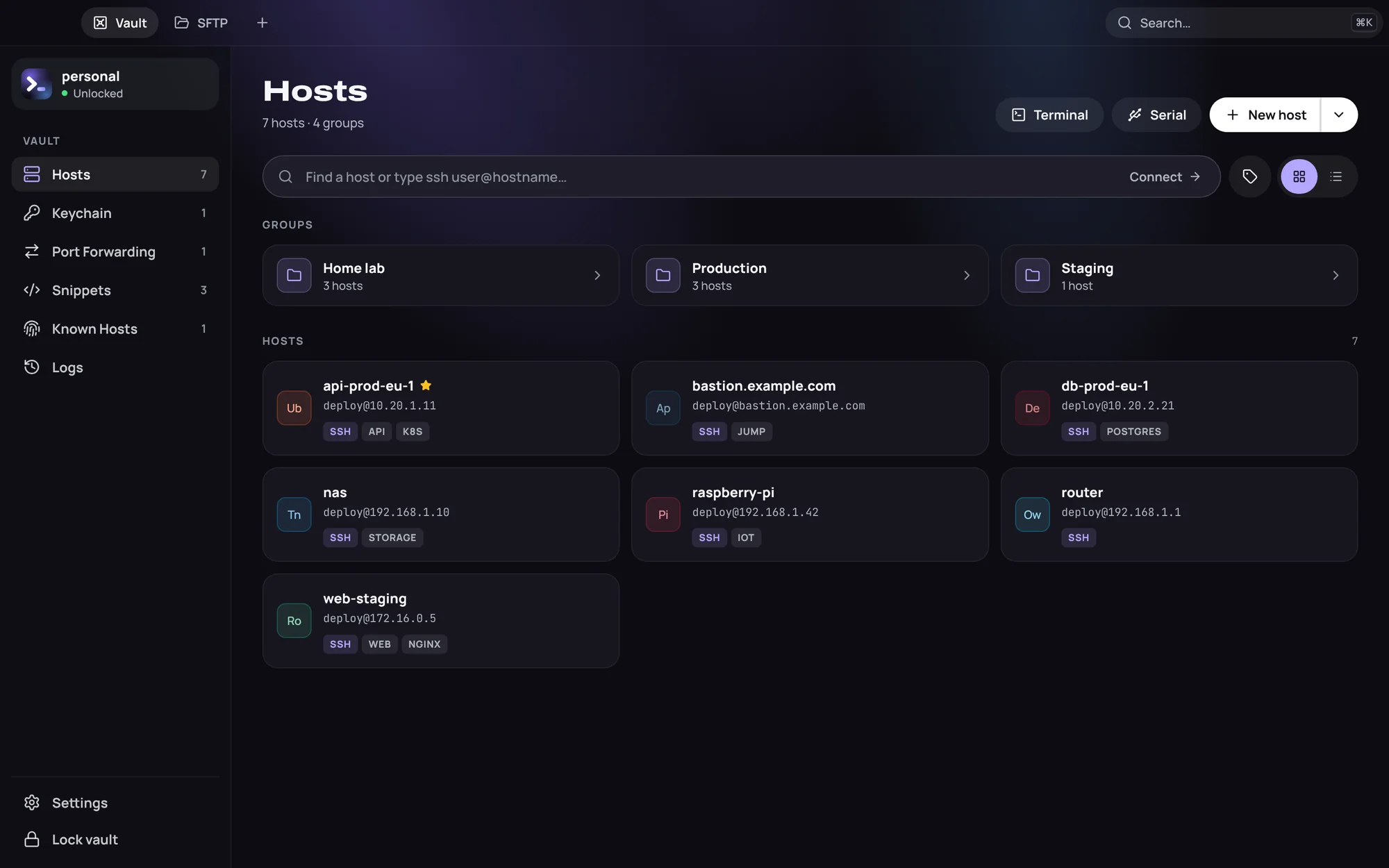
Every host, in one encrypted vault.

Groups pass settings down to their hosts, tags and favourites keep things findable, and the omnibox connects to anything you type — ssh user@host included.

  • Per-setting inheritance
  • Import from ~/.ssh/config, PuTTY, MobaXterm, SecureCRT
  • AWS, DigitalOcean and Azure inventory
Hosts & groups →
The hosts view with groups, tagged host cards and the omnibox

Workspaces

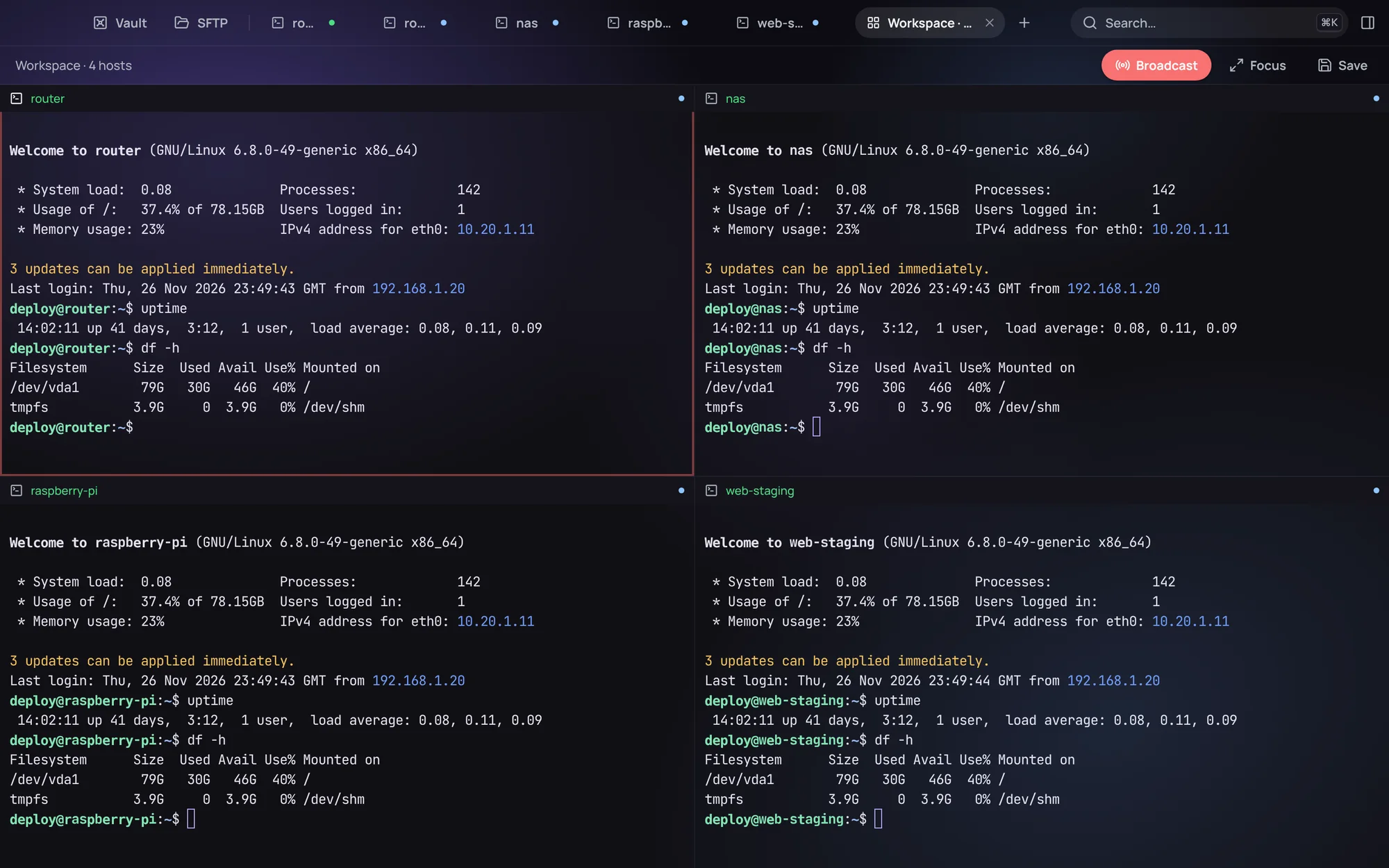
Four servers. One keystroke.

Split a workspace into panes and broadcast your input to every one of them. Save the layout and bring the whole set back tomorrow.

  • Split and focus modes
  • Broadcast to every pane
  • Saved workspace templates
Workspaces & broadcast →
A workspace with four terminals side by side and broadcast input turned on

AI agents

AI agents, on a short leash.

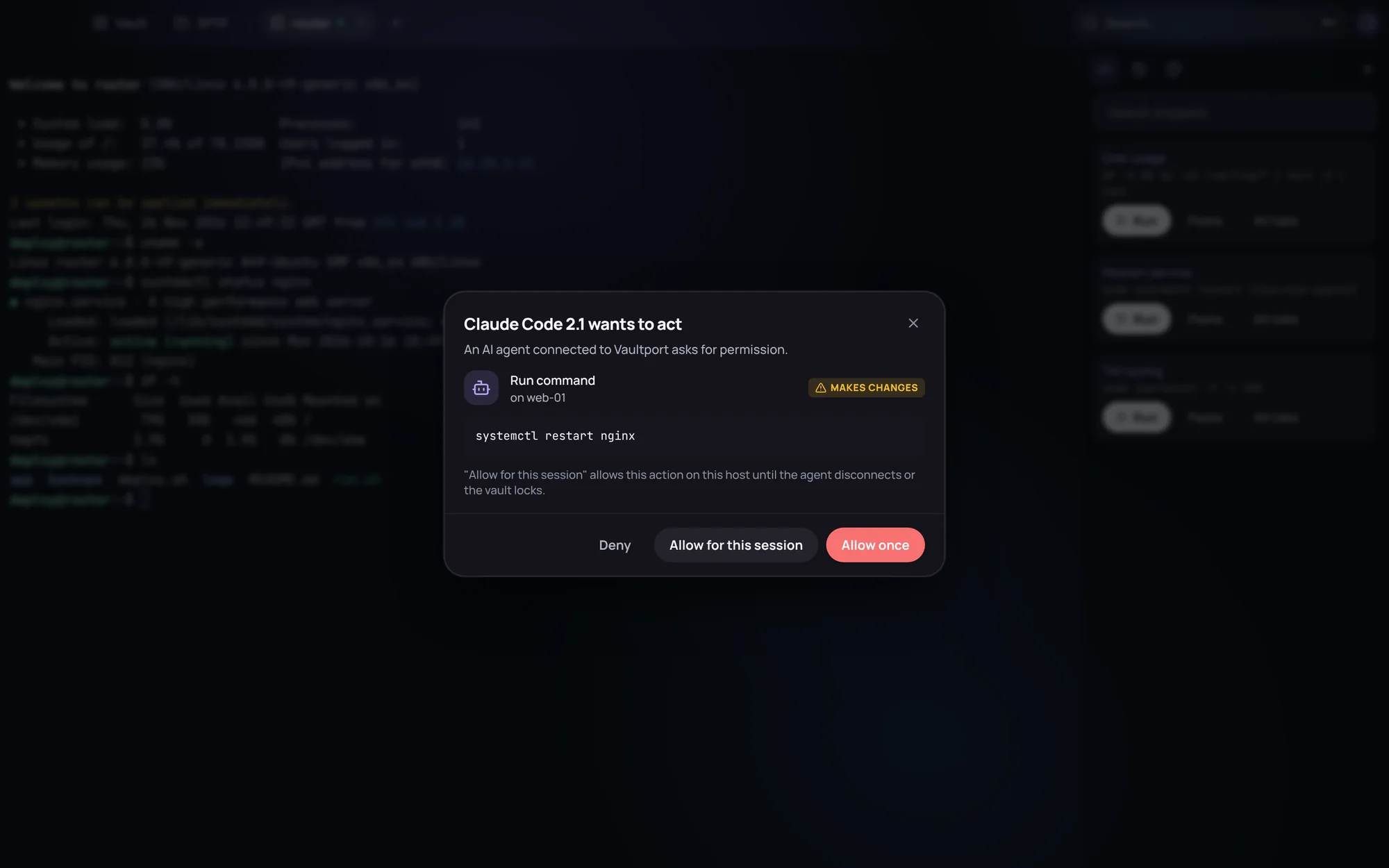
Vaultport speaks MCP. Claude Code, Cursor, VS Code or Codex can work on your hosts — but every action waits for your approval, and they never see a credential.

  • Off by default
  • Per-action approval, read-only mode
  • Can read your open terminals, with your OK
  • Every call in the activity log
AI agents (MCP) →
An approval dialog for a command that Claude Code wants to run on a host

Phones & tablets

The same vault, in your pocket.

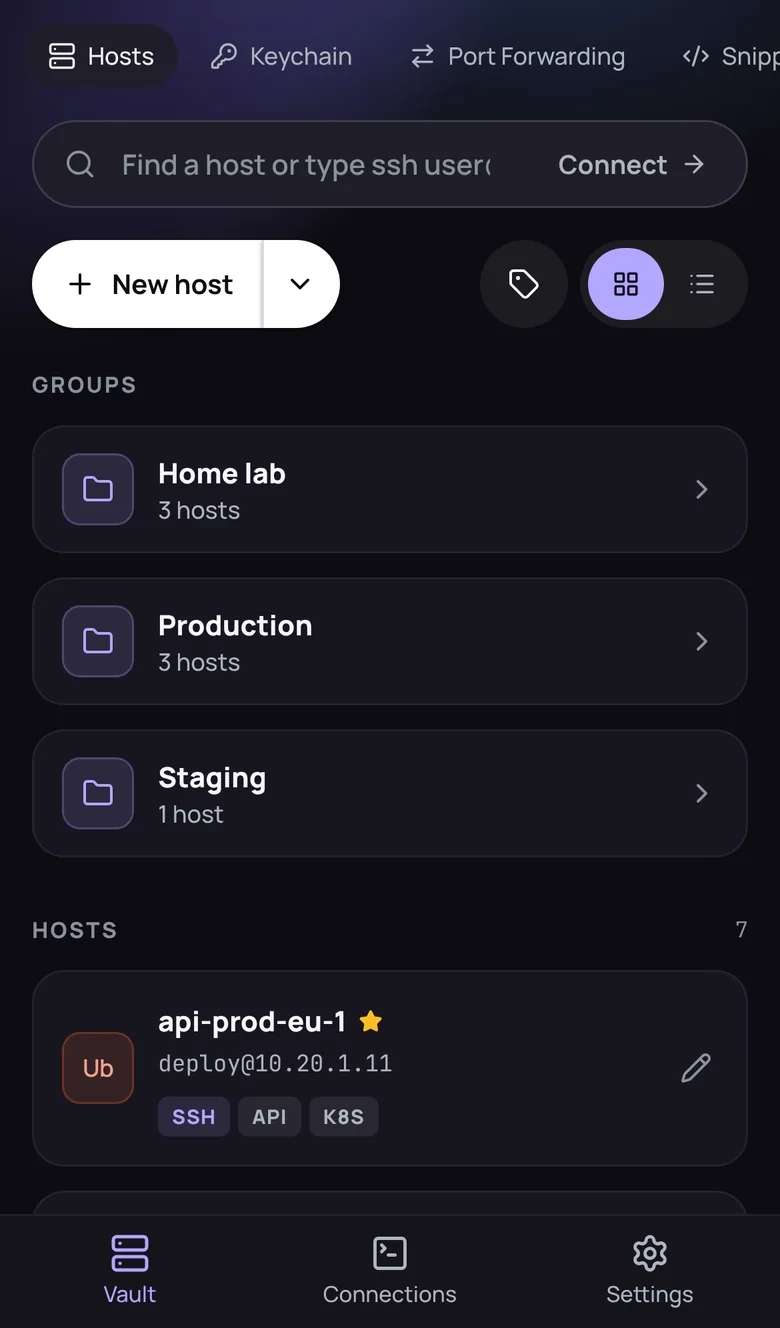
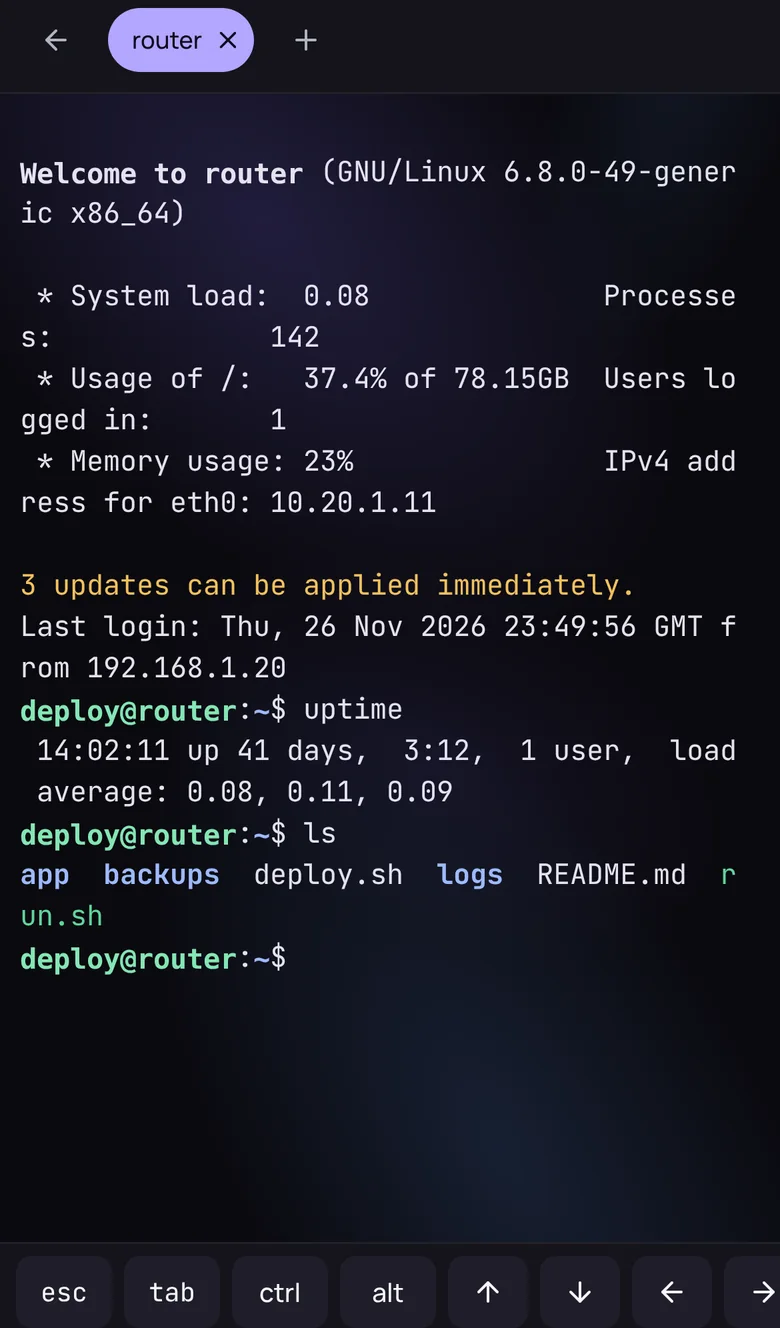
A touch-first layout with a terminal key bar on iOS, iPadOS and Android. Pair a phone with a QR code and it syncs through your own storage.

  • Accessory key bar with Ctrl, Esc and arrows
  • Biometric unlock
  • QR-code device pairing
Phones & tablets →
The hosts list on a phone
A terminal session on a phone
A terminal session in the see-through Pulse theme with the snippets side panel open

The vault

Ciphertext, until you say so.

Hosts, keys, passwords and snippets are sealed record by record with XChaCha20-Poly1305. The vault key is wrapped by Argon2id and your OS key store — and it never reaches the interface you are looking at.

Cipher
XChaCha20-Poly1305
Key derivation
Argon2id
Key storage
Keychain · TPM · Keystore
Secrets in the UI
0 bytes
Locked · tap to unlockpersonal.vault

Everything in one app

Every tool you reach for. None you have to trust.

vaultport

❯ ssh deploy@api-prod-eu-1

Every protocol

SSH, SFTP, Mosh, Telnet, serial consoles and a local shell. Mosh is built in — no external binary.

you
bastion
db-prod

Jump hosts & proxies

Chain bastions with ProxyJump, go through HTTP CONNECT or SOCKS5, and check the host key at every hop.

Touch your security key…

Hardware-backed keys

FIDO2 sk- keys, plus non-exportable keys in the Secure Enclave, Windows Hello or Android Keystore.

mlkem768x25519-sha256

Post-quantum by default

Hybrid ML-KEM key exchange first; legacy algorithms stay off unless you opt in per host.

Llocalhost:8080web-staging:80
Rbastion:9000localhost:3000
Dlocalhost:1080SOCKS5 · any

Port forwarding

Local, remote and dynamic tunnels as saved rules. Start them with a double-click or automatically on connect.

❯ sudo systemctl restart nginx
{{service:nginx}} · run in 4 tabs

Snippets & autocomplete

Reusable commands with {{ variables }}, run in one tab or many, and offline completion that knows the commands, branches and scripts on the machine.

show the five biggest files in /var/log

❯ du -ah /var/log | sort -rh | head -5

inserted, never run · model runs on this device

Local AI, off by default

Describe what you want and get a shell command from a small model running entirely on your device.

▶ replayprod-deploy.vplog · sealed

Encrypted session logs

Record sessions as sealed, tamper-evident logs and replay them later, keystroke by keystroke.

~/.ssh/configknown_hostsPuTTYMobaXtermSecureCRTCSVAWSDigitalOceanAzure

Bring everything with you

Import your existing setup in one go. Cloud inventories are read with credentials that never leave your device.

Explore every feature in the docs

Serverless sync

Your devices talk through your storage.

Changes are sealed on the device before they leave it. Your storage only ever holds ciphertext, and hash chains catch rollbacks and missing pieces. There is no Vaultport cloud to breach — or to shut down.

Laptopencrypts locally
Phoneencrypts locally
Desktopencrypts locally
Synced folderiCloud Drive · Dropbox · Syncthing · OneDrive
sees ciphertext only
Vaultport serversnone

Try the cipher

Seal something. Then break it.

This is XChaCha20-Poly1305 — the same authenticated cipher that seals every record in your vault — running right here in your browser. Type to re-encrypt, then flip a single bit and watch the authentication tag refuse it.

Nothing you type leaves this page.

Key 32 bytes · random

Nonce 24 bytes · fresh every time

Ciphertext + tag 58 bytes

Poly1305 tag (16 bytes)

Take back
your keys.

Free and open source on Windows, macOS, Linux, iOS and Android. No sign-up, ever.